




















Esc

↑↓ to move↵ to open

05AI readiness & governance

Get your house in order before AI moves in.

An AI assistant can see everything its user can see. We check what that really means in your business, tidy it up and put clear rules in place, so you can switch AI on with confidence.

An ITXpress consultant talking a client through a printed map of her company’s folders
Starts with
A fixed-scope review
Looks at
Files, mailboxes, sharing and sign-ins
Produces
A plain-English action list
Keeps going
With a regular governance review

Foundations

AI doesn’t create the mess.
It finds it.

Most businesses have years of shared folders, old Teams sites and links that were once shared with “anyone”. Nobody goes looking, so it rarely matters. An AI assistant goes looking every time somebody asks it a question.

So before any licence is switched on, we look at where your information lives and who can reach it. We fix what’s risky, label what’s sensitive and agree a short set of rules your team can actually follow. After that, AI is useful rather than worrying.

A consultant and two clients mapping out where their information lives with sticky notes on a glass wall

What’s included

Six parts
of being ready.

Start with the review. It tells you which of the others you need, and which you don’t.

01

AI readiness review

Fixed-scope review

A clear picture of where your data lives and who can see it, before any AI is let loose on it.

  • File, site and mailbox permissions reviewed
  • Oversharing found: “anyone” links, open sites and forgotten guests
  • Sensitive information located
  • A short, prioritised list of what to fix first

02

Permissions & data tidy-up

Scoped project

The fixes from the review, carried out with your team.

  • Access tightened to what each role needs
  • Stale sites, groups and shares archived or removed
  • An owner assigned to every site, so someone is responsible
  • Changes agreed with you before anything is closed off
03

Sensitivity labels & data loss prevention

Scoped project

Microsoft 365’s own controls, switched on and tuned to your business.

  • Labels for confidential and personal information
  • Data loss prevention rules for email, files and chat
  • Limits on what AI assistants may read and summarise
  • Tested with real documents before roll-out

Good to know: some of these controls depend on the Microsoft licences you hold. We’ll tell you what you already have before recommending anything new.

04

AI usage policy

Fixed scope

A short, readable policy on what your team may and may not do with AI.

  • Which tools are approved, and which are not
  • What must never be pasted into a public AI tool
  • Who checks and owns what AI produces
  • Written in plain English and introduced to your team
05

Unapproved AI tools

Review

A look at the AI tools already in use across your business, approved or not.

  • AI apps and browser extensions found across the devices we manage
  • Risky tools blocked and sensible ones approved
  • Safer alternatives offered for the jobs people are trying to do
06

Ongoing governance

Regular review

A standing check that keeps the rules and the reality in step.

  • A regular review of what’s running and who has access
  • New AI features assessed as Microsoft releases them
  • Policy and controls updated as your business changes
  • Reported on your pane

Step by step

How a readiness review runs.

  1. 01

    Scope

    A short call to agree what’s in scope: which systems, which teams and what you’re hoping AI will do for you.

  2. 02

    Look

    We review permissions, sharing and sensitive information using read-only access. Nothing is changed at this stage.

  3. 03

    Report

    You get a plain-English summary: what’s fine, what’s risky and what to fix first, with the effort involved.

  4. 04

    Fix

    We carry out the fixes you approve, then confirm you’re ready to switch on.

On your pane

AI & Automation,
in plain sight.

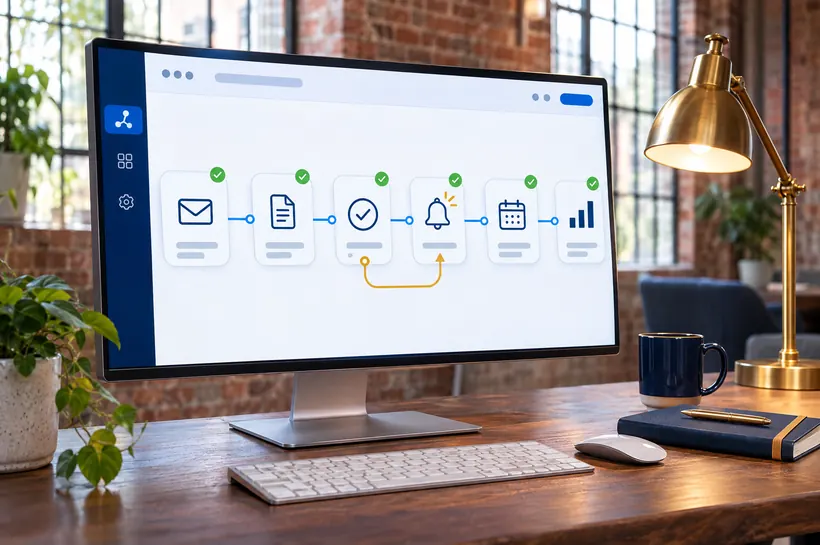
Whatever we do for you here reports back to one place, alongside everything else. No separate portal, no waiting for a monthly PDF: just the current state of things, in plain English.

See the whole pane
Your business/ ai & automation
Illustrative view

Good questions

Asked often.
Answered plainly.

Something we haven’t covered? Ask us directly

iWhy do we need this before Copilot?

Copilot works with whatever each person already has access to. If a salary spreadsheet sits in a folder the whole company can open, anyone can ask Copilot about it. The review finds those cases first.

iiIs our data used to train AI models?

Microsoft states that prompts, responses and the data Microsoft 365 Copilot accesses are not used to train its foundation models, and that your data stays within your Microsoft 365 boundary. Part of our job is making sure your own permissions are equally sound.

iiiDo we need extra Microsoft licences?

Not necessarily. Many of the controls are included in plans such as Microsoft 365 Business Premium. We start with what you already own and only suggest more when there’s a clear reason.

ivWe’re not planning to use AI yet. Is this still worth doing?

Yes. Tidy permissions and labelled data are good security in their own right, and your team may already be using AI tools you haven’t approved.

Talk to us

Ready to see your IT clearly?

Tell us what you have today and what you’d like it to do. We’ll come back with a clear, plain-English answer and no obligation.

Start a conversation

Or email sales@itxuk.com
Already a customer? helpdesk@itxuk.com
Prefer to talk? Call 0330 236 9991 or a local number

An ITXpress consultant being welcomed with a handshake at a customer’s front door