






















Esc

↑↓ to move↵ to open

05AI & Automation

Practical AI, safely switched on.

Copilot, automation and AI agents, built on sound foundations. Repetitive work comes off your team’s plate, and your data stays where it belongs.

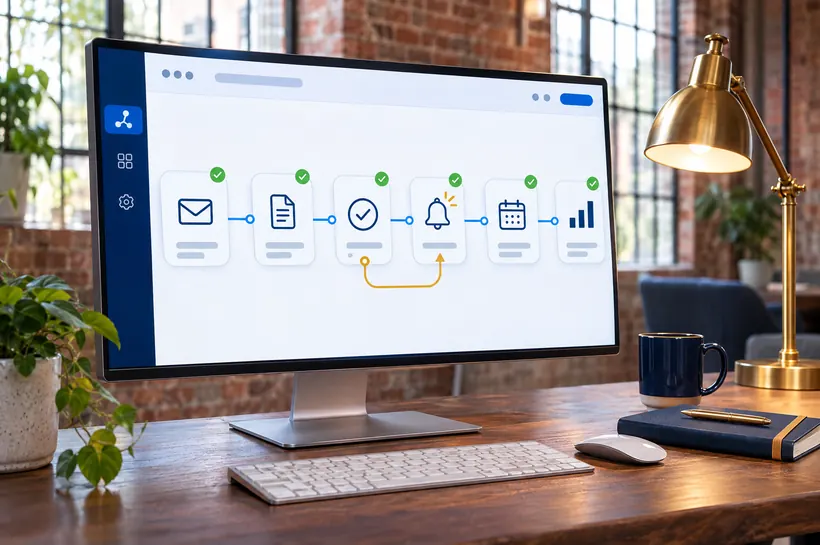
A monitor on a desk showing an automated workflow: six steps joined by a line, each one ticked
Starts with
Your processes, not the hype
Built on
Microsoft Copilot, ChatGPT or Claude
Guardrails
Your data kept private
Visible
Every automation on your pane

AI that earns its place

Start with the work,
not the technology.

There’s no shortage of people selling AI. What most businesses actually need is simpler: to stop retyping the same information, chasing the same approvals and answering the same questions.

So we take it in four parts. First the foundations: tidy data and clear rules. Then assistants for your people, automation for the repetitive jobs and agents for the questions that come up every day. Each one is built with tools you mostly already pay for, and each one shows up on your pane, where you can check it or switch it off.

A consultant showing a workflow on a tablet to two members of an operations team

What’s included

Everyday AI,
looked after for you.

The parts that turn a project into a habit: skills, licences, reporting and upkeep.

01

Training & adoption

Per session

Hands-on sessions that turn a licence into a habit.

  • Practical workshops built around real tasks
  • Champions in each team to keep momentum
  • A shared library of prompts that work for your business
  • Usage reviewed, so you know what’s paying its way

02

Licences & right-sizing

Per user · monthly or annual

The Microsoft AI and automation licences you need, supplied and kept in step with your team.

  • Microsoft 365 Copilot and Copilot Studio
  • Power Automate, Power Apps and Power BI
  • Charity and education pricing where you’re eligible
  • Unused licences found and removed
More on Microsoft 365 & Cloud
03

Reporting & insight

Per report or project

The numbers your business runs on, assembled for you and kept up to date.

  • Power BI dashboards fed from live data
  • Scheduled reports sent to the people who need them
  • One version of the figures in place of five spreadsheets
04

Managed automations & agents

Scoped to what you run

Everything we build looked after once it’s live, like any other system we manage.

  • Failed runs spotted and fixed
  • Changes made safely when your process changes
  • Documentation kept current
  • Each one shown on your pane, with an owner and an off switch

Step by step

How we introduce AI.

  1. 01

    Listen

    We look at how work moves through your business and where the time goes. No technology yet, just the jobs people would happily never do again.

  2. 02

    Prepare

    We check who can see what, tidy up anything risky and agree a short set of rules, so nothing is switched on over a mess.

  3. 03

    Pilot

    We start small: one team, one process or one assistant, with a clear idea of what good looks like.

  4. 04

    Roll out

    What works is extended, what doesn’t is dropped, and everything that’s live reports to your pane.

On your pane

AI & Automation,
in plain sight.

Whatever we do for you here reports back to one place, alongside everything else. No separate portal, no waiting for a monthly PDF: just the current state of things, in plain English.

See the whole pane
Your business/ ai & automation
Illustrative view

Good questions

Asked often.
Answered plainly.

Something we haven’t covered? Ask us directly

iIs our data used to train AI models?

Microsoft states that prompts, responses and the data Microsoft 365 Copilot accesses are not used to train its foundation models, and that your data stays within your Microsoft 365 boundary. Part of our job is making sure your own permissions are equally sound.

iiWhere should we start?

With one process that annoys everyone. A single, well-chosen automation teaches you more than a strategy document, and pays for the next one.

iiiDo we need Copilot licences for everybody?

No. Most businesses begin with a small pilot group in roles that write, summarise and search a lot, then expand once the value is clear.

ivHow do we stay in control of what’s been automated?

Every automation and agent we build is documented and shown on your pane, with an owner, a purpose and an off switch.

vDo we need to be a managed IT customer?

No. Plenty of businesses come to us for AI and automation alone. If we already manage your Microsoft 365, it’s simply quicker, because we know our way around.

Talk to us

Ready to see your IT clearly?

Tell us what you have today and what you’d like it to do. We’ll come back with a clear, plain-English answer and no obligation.

Start a conversation

Or email sales@itxuk.com
Already a customer? helpdesk@itxuk.com
Prefer to talk? Call 0330 236 9991 or a local number

An ITXpress consultant being welcomed with a handshake at a customer’s front door